Generate Your Own Bitcoin Seed Phrase with Dice
Most wallets generate seed phrases for you, but that requires trust: you are trusting that the wallet's random number generator is actually random, hasn't been backdoored, and wasn't compromised somewhere in the supply chain. This guide shows you how to generate a 24-word BIP39 seed phrase from dice rolls, entirely offline, with randomness you can verify yourself.
Mistakes in seed generation can result in permanent, irreversible loss of all Bitcoin.
Common fatal errors:
- Using a compromised computer: If your "air-gapped" machine was ever connected to the internet, it may have malware that captures your seed.
- Insufficient randomness: Using weak entropy (like mental "random" numbers) makes your seed guessable.
- Transcription errors: A single wrong word means a completely different (empty) wallet.
- Improper backup storage: Paper burns, fades, and water-damages easily.
There is no recovery. No customer support. No password reset. If you lose access to your seed or generate it insecurely, your Bitcoin is gone forever.
Do not proceed unless you fully understand these risks.
In this guide you will:
- Generate true randomness using physical dice rolls
- Convert your binary entropy into decimal numbers
- Calculate the checksum that completes the final word
- Look up all 24 BIP39 seed words
- Verify the finished seed in an offline wallet
- Securely back up your seed phrase on metal
Time required: 2–4 hours Difficulty: Intermediate Estimated cost: $10–30 (casino dice) + $20–50 (metal backup plate) Requirements: Air-gapped computer or Raspberry Pi Zero, casino dice
Before starting, make sure you understand:
- What seed phrases are and how they protect your Bitcoin
- Private keys and how they relate to seeds
- Number systems: binary, decimal, and hex
Why Generate Your Own Seed?
When a wallet generates a seed phrase for you, you are trusting three things at once:
| Risk | Description |
|---|---|
| Weak randomness | Software may not use proper entropy |
| Backdoors | Wallets could have security flaws or intentional vulnerabilities |
| Supply chain attacks | Pre-generated seeds have been found in compromised hardware wallets |
This stopped being theoretical in July 2026. A five-year-old Coldcard firmware bug had been silently generating seeds from a predictable software generator instead of the hardware one, and attackers brute-forced roughly $116 million out of 5,200+ wallets: air-gapped devices, never hacked, never touched. Seeds generated from dice rolls were completely unaffected, because the dice bits bypassed the broken generator. The full story: the Coldcard entropy incident.
By generating your own seed with physical dice, you:
- Verify the randomness yourself: no trust required
- Eliminate software vulnerabilities: dice can't be hacked
- Understand what you're protecting: knowledge is security
Who Is This Guide For?
| Situation | Recommendation |
|---|---|
| Learning with small amounts | Use your device's dice-roll feature instead of the full manual process |
| Moderate holdings, want to learn | Yes: Practice on testnet first and understand the risks |
| Significant holdings, high security needs | Yes: Verifiable entropy is worth the effort |
| Don't trust hardware wallet RNG | Yes: 2026 proved this instinct right |
| Not comfortable with technical processes | Careful: A mistake here loses everything; use the device's dice feature with the cross-check below instead |
Before July 2026 we said most people should just use their hardware wallet's seed generation. The Coldcard entropy incident retired that advice: device randomness is now a fallback, not a default. If the full manual process below is more than you want, the middle path (your device's dice-roll feature plus an independent cross-check) captures most of the benefit.
Using your hardware wallet's dice feature
Most current devices (BitBox02, Trezor Safe, Jade, Keystone, Coldcard) can mix dice rolls into seed generation. Two rules make it trustworthy:
- Roll enough. 50 rolls contribute ~128 bits, enough to protect you even if the device's generator is completely broken. For a 24-word seed, use 99 rolls (~256 bits). This is exactly why dice-rolled Coldcard seeds survived the incident untouched.
- Cross-check the result. A buggy or malicious device could silently ignore your rolls. Catch it by re-deriving the seed from the same rolls on an independent device (a SeedSigner or Krux, or this guide's manual process on an air-gapped computer) and comparing all 24 words. If they match, the device honored your entropy.
Critical Environment Requirements
Your seed generation environment must meet ALL of these requirements:
- Air-gapped computer: A machine that has NEVER connected to the internet and NEVER will
- Fresh operating system: Booted from a verified, read-only medium (like a Tails USB)
- No wireless hardware: Wi-Fi and Bluetooth physically removed or disabled in BIOS
- No cameras or microphones: Cover or disconnect them
- Private location: No one can see your screen or your seed words
- No electronic devices nearby: Phones, smartwatches, etc. can capture keystrokes or screens
If any of these are not met, your seed may be compromised before you even finish generating it.
What You'll Need
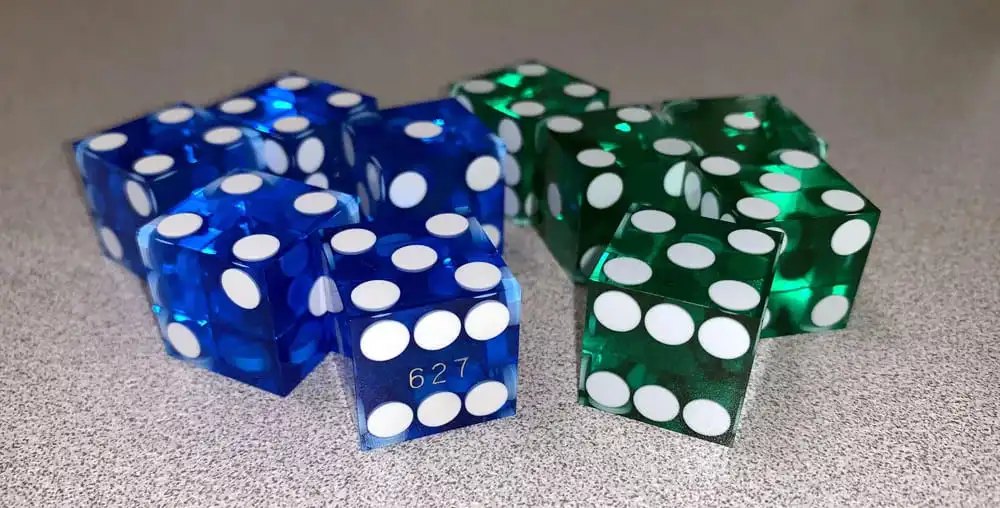
Casino dice
Casino-grade dice are precision-machined with flush, filled pips, so every face weighs the same. Cheaper pipped dice have material drilled out for each pip, which makes some faces very slightly more likely than others.
That bias is small and not fatal here: across 256 bits, a fraction-of-a-percent bias per face costs a negligible amount of entropy. Casino dice simply remove the question, and they are cheap.
Rolling several dice at once does not cancel out a die's bias. Each die still produces its own slightly biased bit. Using 5–10 dice per throw is purely a speed optimization: it collects 5–10 bits per throw instead of 1.
Air-gapped computer
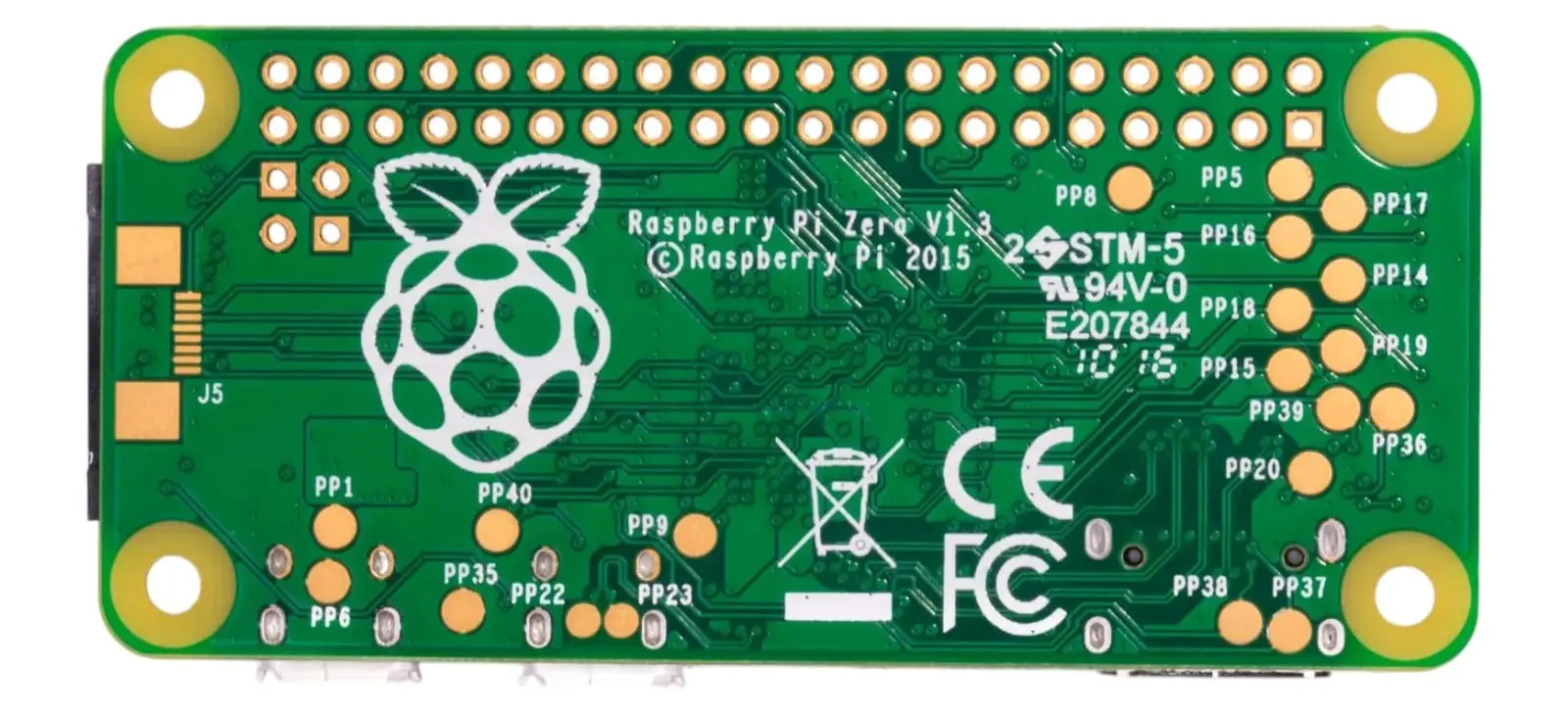
An air-gapped computer is a device that has never been connected to the internet and is physically incapable of doing so. This is crucial for securely generating and handling your private key. Suitable options:
- Raspberry Pi Zero 1.3: Highly recommended because it lacks built-in Wi-Fi and Bluetooth, reducing attack surfaces. Harder to find these days, but worth the hunt.
- Laptop or PC: A machine with the Wi-Fi and Bluetooth modules physically removed and the Ethernet port permanently disabled. Even if stolen, an attacker cannot put it back online to extract the private key.
You genuinely need a computer for this process. Step 1, 2, and 4 can be done with paper and pen, but Step 3 computes a SHA-256 hash, which cannot be done by hand.
Paper and pen
Used only as a temporary record of the process. Must be destroyed (burned) after you have transferred the seed phrase to a durable medium.
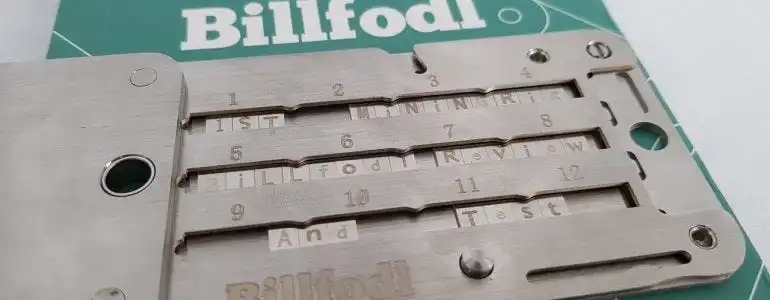
Metal seed storage
Once your seed phrase is created, it should be permanently stored on a fireproof, waterproof, tamper-resistant metal plate. This protects your seed from fire, water, and the slow degradation of paper over time.
How the Numbers Fit Together
Before you start rolling, it helps to see where the process is going. A 24-word BIP39 seed is 264 bits, and those bits come from two different places:
| Where it comes from | Bits | Step |
|---|---|---|
| Dice rolls (your entropy) | 256 | Step 1 |
| Checksum, calculated from those 256 bits | 8 | Step 3 |
| Total | 264 | 264 ÷ 11 = 24 words |
You will write your 256 dice bits into a grid of 24 rows, 11 bits per row. That fills 23 rows completely (23 × 11 = 253) and leaves 3 bits in row 24. Row 24 stays unfinished until Step 3, when the checksum supplies its last 8 bits.
This is why the steps must be done in order: row 24 does not have a value until Step 3.
Step 1: Roll Dice for Entropy
Your goal is to generate a large, truly random binary number by rolling dice.
Assign binary values
Before rolling, decide how each die is converted into a binary value. This mapping gives an equal probability of 0 or 1:
- If the die lands on 1, 2, or 3, it is assigned a value of 0.
- If the die lands on 4, 5, or 6, it is assigned a value of 1.
Roll and record
You need 256 individual die results, one per bit. With 5 dice that is about 52 throws; with 10 dice, about 26. Stop once you have 256 bits and discard any extras from the final throw.
Roll the dice and record the results from left to right. Consistency is key: always read in the same order. If it is unclear which die is further to the left, re-roll those dice.
It is crucial that the data is truly random. If it lacks randomness, there is a risk that someone else could reproduce the exact same sequence. This would allow them to regenerate your private key and potentially access all of your Bitcoin.
Format the output
Write your 256 bits into 23 rows of 11 binary digits, plus a 24th row that will hold only 3 digits for now.
- For readability, separate each full row into three groups: 4-4-3 (e.g.,
1011 1000 101). - Keep the numbers aligned in columns and leave space to the right of each row for the calculations in Step 2.
- Leave the rest of row 24 blank. Its final 8 digits are filled in by the checksum in Step 3.
| # | |||||||||||
|---|---|---|---|---|---|---|---|---|---|---|---|
| 1) | 1 | 0 | 1 | 1 | 1 | 0 | 0 | 0 | 1 | 0 | 1 |
| 2) | 1 | 1 | 0 | 1 | 1 | 1 | 0 | 0 | 1 | 0 | 0 |
| 3) | 1 | 0 | 1 | 1 | 1 | 1 | 0 | 0 | 1 | 1 | 1 |
| 4) | 0 | 1 | 1 | 0 | 1 | 0 | 0 | 0 | 1 | 0 | 1 |
| 5) | 1 | 1 | 1 | 1 | 1 | 0 | 1 | 0 | 1 | 0 | 1 |
| 6) | 1 | 1 | 1 | 1 | 1 | 0 | 0 | 1 | 0 | 0 | 0 |
| 7) | 0 | 0 | 1 | 0 | 0 | 0 | 0 | 0 | 1 | 0 | 1 |
| 8) | 1 | 0 | 1 | 1 | 1 | 0 | 0 | 0 | 1 | 0 | 1 |
| 9) | 1 | 0 | 1 | 0 | 1 | 0 | 1 | 0 | 1 | 0 | 0 |
| 10) | 1 | 0 | 1 | 1 | 1 | 0 | 1 | 1 | 1 | 0 | 1 |
| 11) | 1 | 1 | 1 | 1 | 1 | 0 | 0 | 0 | 1 | 0 | 1 |
| 12) | 0 | 1 | 1 | 1 | 1 | 0 | 0 | 1 | 1 | 1 | 0 |
| 13) | 1 | 0 | 1 | 1 | 1 | 0 | 1 | 0 | 1 | 0 | 0 |
| 14) | 1 | 0 | 0 | 1 | 1 | 0 | 0 | 0 | 1 | 1 | 1 |
| 15) | 1 | 0 | 1 | 1 | 1 | 0 | 0 | 0 | 1 | 1 | 1 |
| 16) | 1 | 1 | 1 | 1 | 1 | 0 | 1 | 1 | 1 | 0 | 1 |
| 17) | 0 | 0 | 0 | 1 | 1 | 0 | 0 | 0 | 1 | 0 | 1 |
| 18) | 1 | 0 | 1 | 0 | 1 | 0 | 0 | 0 | 1 | 1 | 0 |
| 19) | 1 | 1 | 1 | 1 | 1 | 0 | 1 | 0 | 1 | 0 | 0 |
| 20) | 1 | 1 | 1 | 1 | 1 | 0 | 0 | 0 | 1 | 0 | 0 |
| 21) | 0 | 0 | 1 | 0 | 1 | 0 | 0 | 0 | 1 | 0 | 1 |
| 22) | 1 | 0 | 1 | 1 | 1 | 0 | 1 | 0 | 1 | 0 | 1 |
| 23) | 1 | 0 | 0 | 1 | 1 | 0 | 0 | 0 | 1 | 0 | 1 |
| 24) | 0 | 0 | 1 |
You have now generated your 256 bits of entropy: 23 full rows of 11 bits, plus 3 bits in row 24.
Do not roll dice for the remaining 8 bits. They are not random data. They are the checksum, and they must be calculated from the 256 bits above so your wallet can detect typos later.
Step 2: Convert Binary to Decimal
Convert rows 1 through 23 to decimal. Each 11-bit row becomes one number, which you will use in Step 4 to look up a seed word.
Row 24 still has only 3 of its 11 bits, so it has no value at this stage. You will complete and convert it in Step 3. Skip it for now.
Do the conversion manually on your air-gapped computer or with paper and pen. Never use an online tool. Copying your binary string into a web calculator could expose your seed.
With 11 binary digits, the smallest number is 0 (00000000000) and the largest is 2047 (11111111111). Each result will therefore fall in the range 0–2047.
You can convert in either of two ways.
Method A: air-gapped shell
In a bash terminal, to convert the first row, 10111000101, type:
echo $((2#10111000101))
This will output 1477. Replace the binary digits in the command with each 11-digit row and run the calculation.
Method B: paper and pen
At the top-left of your page, write the powers of two from left to right, aligned with the binary digits below: 1024, 512, 256, 128, 64, 32, 16, 8, 4, 2, 1.
For each binary digit in the row:
- If the digit is 1, write down the power of two above it.
- If the digit is 0, skip it.
Add up all the numbers you wrote down. The sum is the decimal equivalent of the binary number.
For example, to convert the first row, 10111000101:
1024 + 0 + 256 + 128 + 64 + 0 + 0 + 0 + 4 + 0 + 1 = 1477
Repeat this for rows 1 through 23. You will have 23 decimal numbers, each in the range 0–2047.
| # | 1024 | 512 | 256 | 128 | 64 | 32 | 16 | 8 | 4 | 2 | 1 | TOT |
|---|---|---|---|---|---|---|---|---|---|---|---|---|
| 1) | 1 | 0 | 1 | 1 | 1 | 0 | 0 | 0 | 1 | 0 | 1 | 1477 |
| 2) | 1 | 1 | 0 | 1 | 1 | 1 | 0 | 0 | 1 | 0 | 0 | 1764 |
| 3) | 1 | 0 | 1 | 1 | 1 | 1 | 0 | 0 | 1 | 1 | 1 | 1511 |
| 4) | 0 | 1 | 1 | 0 | 1 | 0 | 0 | 0 | 1 | 0 | 1 | 837 |
| 5) | 1 | 1 | 1 | 1 | 1 | 0 | 1 | 0 | 1 | 0 | 1 | 2005 |
| 6) | 1 | 1 | 1 | 1 | 1 | 0 | 0 | 1 | 0 | 0 | 0 | 1992 |
| 7) | 0 | 0 | 1 | 0 | 0 | 0 | 0 | 0 | 1 | 0 | 1 | 261 |
| 8) | 1 | 0 | 1 | 1 | 1 | 0 | 0 | 0 | 1 | 0 | 1 | 1477 |
| 9) | 1 | 0 | 1 | 0 | 1 | 0 | 1 | 0 | 1 | 0 | 0 | 1364 |
| 10) | 1 | 0 | 1 | 1 | 1 | 0 | 1 | 1 | 1 | 0 | 1 | 1501 |
| 11) | 1 | 1 | 1 | 1 | 1 | 0 | 0 | 0 | 1 | 0 | 1 | 1989 |
| 12) | 0 | 1 | 1 | 1 | 1 | 0 | 0 | 1 | 1 | 1 | 0 | 974 |
| 13) | 1 | 0 | 1 | 1 | 1 | 0 | 1 | 0 | 1 | 0 | 0 | 1492 |
| 14) | 1 | 0 | 0 | 1 | 1 | 0 | 0 | 0 | 1 | 1 | 1 | 1223 |
| 15) | 1 | 0 | 1 | 1 | 1 | 0 | 0 | 0 | 1 | 1 | 1 | 1479 |
| 16) | 1 | 1 | 1 | 1 | 1 | 0 | 1 | 1 | 1 | 0 | 1 | 2013 |
| 17) | 0 | 0 | 0 | 1 | 1 | 0 | 0 | 0 | 1 | 0 | 1 | 197 |
| 18) | 1 | 0 | 1 | 0 | 1 | 0 | 0 | 0 | 1 | 1 | 0 | 1350 |
| 19) | 1 | 1 | 1 | 1 | 1 | 0 | 1 | 0 | 1 | 0 | 0 | 2004 |
| 20) | 1 | 1 | 1 | 1 | 1 | 0 | 0 | 0 | 1 | 0 | 0 | 1988 |
| 21) | 0 | 0 | 1 | 0 | 1 | 0 | 0 | 0 | 1 | 0 | 1 | 325 |
| 22) | 1 | 0 | 1 | 1 | 1 | 0 | 1 | 0 | 1 | 0 | 1 | 1493 |
| 23) | 1 | 0 | 0 | 1 | 1 | 0 | 0 | 0 | 1 | 0 | 1 | 1221 |
| 24) | 0 | 0 | 1 | – | – | – | – | – | – | – | – | Step 3 |
Step 3: Calculate the Checksum
The 8 missing digits in row 24 are calculated from the 256 bits you rolled in Step 1. Together they form a checksum: a short verification code that lets your wallet detect if you have made a typo when entering the seed. If the checksum doesn't match, the wallet warns you that something is wrong.
The method below is manual: you hash your bits, then convert two hexadecimal characters by hand. It is the one that shows you what a checksum actually is, and it is worth doing at least once.
If you would rather not do the arithmetic, a single command at the end of this step produces the same result on the same air-gapped machine.
The safest option is both. Work it out by hand, then run the command and confirm the two agree. If they disagree, you made a mistake somewhere, stop and find it before going any further.
Write out your 256 bits as one line
Read your grid from Step 1 straight through, row 1 to row 24, left to right, with no spaces and no line breaks. Rows 1–23 contribute 11 bits each and row 24 contributes its 3 bits, for 256 characters total.
For our example:
1011100010111011100100101111001110110100010111111010101111110010000010000010110111000101101010101001011101110111111000101011110011101011101010010011000111101110001111111101110100011000101101010001101111101010011111000100001010001011011101010110011000101001
Count the characters before continuing. If you don't have exactly 256, the hash will be wrong and so will your seed.
Generate the hash output
On your air-gapped Linux machine, feed that 256-bit string into SHA-256:
echo 1011100010111011100100101111001110110100010111111010101111110010000010000010110111000101101010101001011101110111111000101011110011101011101010010011000111101110001111111101110100011000101101010001101111101010011111000100001010001011011101010110011000101001 | shasum -a 256 -0
Our example output:
52831c8346d7423d26648b51490f2d7ae0ddf172956f241a6bb8bdc0d887c292 ^-
-0 flag is not optional-0 (also written --01) puts shasum into BITS mode, where each 0 and 1 character is treated as an actual bit. BIP39 requires hashing the 256 raw bits, not the text "1011…".
Drop the -0 and the command still runs and still prints a perfectly normal-looking hash, but it is the hash of 256 ASCII characters instead: 03ab8729… rather than 52831c83…. That produces a wrong checksum, a wrong 24th word, and an invalid seed phrase. The ^ in the output above is shasum confirming BITS mode was used.
If shasum is unavailable, this gives the same result:
python3 -c "import hashlib; b='YOUR_256_BITS'; print(hashlib.sha256(int(b,2).to_bytes(32,'big')).hexdigest())"
Running both and comparing is a good way to catch a mistyped bit string.
The checksum is the first 8 bits of that hash, which means you only care about the first two hexadecimal characters: 52.
Convert the first two hex characters to binary
Convert the two hexadecimal digits 5 and 2 into their 4-bit binary equivalents. Hexadecimal is a number system that uses 0–9 plus a–f to represent values 0–15.
| HEX | Decimal | Binary |
|---|---|---|
| 0 | 0 | 0000 |
| 1 | 1 | 0001 |
| 2 | 2 | 0010 |
| 3 | 3 | 0011 |
| 4 | 4 | 0100 |
| 5 | 5 | 0101 |
| 6 | 6 | 0110 |
| 7 | 7 | 0111 |
| 8 | 8 | 1000 |
| 9 | 9 | 1001 |
| a | 10 | 1010 |
| b | 11 | 1011 |
| c | 12 | 1100 |
| d | 13 | 1101 |
| e | 14 | 1110 |
| f | 15 | 1111 |
From the table:
- 5 in binary is 0101 (4 bits)
- 2 in binary is 0010 (4 bits)
Concatenated, the checksum is 01010010 (8 bits).
Complete row 24
Append those 8 bits to the 3 bits already in row 24. It now holds 11 bits and your grid is complete at 264 bits:
| # | |||||||||||
|---|---|---|---|---|---|---|---|---|---|---|---|
| 1) | 1 | 0 | 1 | 1 | 1 | 0 | 0 | 0 | 1 | 0 | 1 |
| 2) | 1 | 1 | 0 | 1 | 1 | 1 | 0 | 0 | 1 | 0 | 0 |
| 3) | 1 | 0 | 1 | 1 | 1 | 1 | 0 | 0 | 1 | 1 | 1 |
| 4) | 0 | 1 | 1 | 0 | 1 | 0 | 0 | 0 | 1 | 0 | 1 |
| 5) | 1 | 1 | 1 | 1 | 1 | 0 | 1 | 0 | 1 | 0 | 1 |
| 6) | 1 | 1 | 1 | 1 | 1 | 0 | 0 | 1 | 0 | 0 | 0 |
| 7) | 0 | 0 | 1 | 0 | 0 | 0 | 0 | 0 | 1 | 0 | 1 |
| 8) | 1 | 0 | 1 | 1 | 1 | 0 | 0 | 0 | 1 | 0 | 1 |
| 9) | 1 | 0 | 1 | 0 | 1 | 0 | 1 | 0 | 1 | 0 | 0 |
| 10) | 1 | 0 | 1 | 1 | 1 | 0 | 1 | 1 | 1 | 0 | 1 |
| 11) | 1 | 1 | 1 | 1 | 1 | 0 | 0 | 0 | 1 | 0 | 1 |
| 12) | 0 | 1 | 1 | 1 | 1 | 0 | 0 | 1 | 1 | 1 | 0 |
| 13) | 1 | 0 | 1 | 1 | 1 | 0 | 1 | 0 | 1 | 0 | 0 |
| 14) | 1 | 0 | 0 | 1 | 1 | 0 | 0 | 0 | 1 | 1 | 1 |
| 15) | 1 | 0 | 1 | 1 | 1 | 0 | 0 | 0 | 1 | 1 | 1 |
| 16) | 1 | 1 | 1 | 1 | 1 | 0 | 1 | 1 | 1 | 0 | 1 |
| 17) | 0 | 0 | 0 | 1 | 1 | 0 | 0 | 0 | 1 | 0 | 1 |
| 18) | 1 | 0 | 1 | 0 | 1 | 0 | 0 | 0 | 1 | 1 | 0 |
| 19) | 1 | 1 | 1 | 1 | 1 | 0 | 1 | 0 | 1 | 0 | 0 |
| 20) | 1 | 1 | 1 | 1 | 1 | 0 | 0 | 0 | 1 | 0 | 0 |
| 21) | 0 | 0 | 1 | 0 | 1 | 0 | 0 | 0 | 1 | 0 | 1 |
| 22) | 1 | 0 | 1 | 1 | 1 | 0 | 1 | 0 | 1 | 0 | 1 |
| 23) | 1 | 0 | 0 | 1 | 1 | 0 | 0 | 0 | 1 | 0 | 1 |
| 24) | 0 | 0 | 1 | 0 | 1 | 0 | 1 | 0 | 0 | 1 | 0 |
Now convert row 24 to decimal using the same method as Step 2. In our example, 00101010010 gives:
0 + 0 + 256 + 0 + 64 + 0 + 16 + 0 + 0 + 2 + 0 = 338
You now have all 24 decimal numbers: 23 from Step 2, plus 338 from row 24.
Or do it in one command
Everything above, the hash, the hex conversion, and row 24, can also be produced by one command on the same air-gapped machine. python3 ships with Raspberry Pi OS, Tails, and every mainstream Linux install, and neither command below needs an internet connection or a single package you have to install.
Start by putting your 256 bits into a variable. You can paste them with the 4-4-3 spacing from your grid, because both commands ignore whitespace:
BITS=1011100010111011100100101111001110110100010111111010101111110010000010000010110111000101101010101001011101110111111000101011110011101011101010010011000111101110001111111101110100011000101101010001101111101010011111000100001010001011011101010110011000101001
Option 1: just the checksum. This finishes row 24 and leaves the word lookups in Step 4 to you:
Just the Checksum
python3 -c "
import hashlib,sys
b=''.join(sys.argv[1].split())
if len(b)!=256 or set(b)-{'0','1'}:
    sys.exit('ERROR: need exactly 256 binary digits, got %d' % len(b))
cs=format(hashlib.sha256(int(b,2).to_bytes(32,'big')).digest()[0],'08b')
print('checksum bits :',cs)
print('row 24 binary :',b[253:]+cs)
print('row 24 decimal:',int(b[253:]+cs,2))
" "$BITS"
For our example this prints:
checksum bits : 01010010
row 24 binary : 00101010010
row 24 decimal: 338
Option 2: all 24 numbers. This prints every row's decimal value, which lets you check all of Step 2 as well as Step 3:
All 24 Numbers
python3 -c "
import hashlib,sys,os
b=''.join(sys.argv[1].split())
if len(b)!=256 or set(b)-{'0','1'}:
    sys.exit('ERROR: need exactly 256 binary digits, got %d' % len(b))
f=b+format(hashlib.sha256(int(b,2).to_bytes(32,'big')).digest()[0],'08b')
w=open('english.txt').read().split() if os.path.exists('english.txt') else []
for n in range(24):
    i=int(f[n*11:n*11+11],2)
    print('%2d. %4d  %s' % (n+1,i,w[i] if w else ''))
" "$BITS"
If you have saved the official BIP39 word list as english.txt in the same folder, this also prints the words, giving you an independent check on the lookups you do in Step 4. Without that file it prints the numbers only, which is all you need.
If your string is not exactly 256 binary digits, the command stops with an error instead of printing a plausible-looking wrong answer. Miscounting your bits is the most common mistake in this whole process, so let the machine catch it.
Why several last words can look "valid"
You may have read that a 24-word seed has more than one possible last word. That is true, and it is the most confusing part of this process, so it is worth being exact about it.
Rows 1–23 fix 253 of your 264 bits. The 24th word supplies the remaining 11: the 3 bits you rolled in row 24, plus the 8 checksum bits. Because those 3 rolled bits can take 8 different values, exactly 8 of the 2048 BIP39 words produce a valid checksum. For the example used throughout this guide, they are:
| Row 24's 3 rolled bits | 24th word |
|---|---|
| 000 | believe |
| 001 | clean ← what our dice rolled |
| 010 | gap |
| 011 | hover |
| 100 | message |
| 101 | rule |
| 110 | soul |
| 111 | visual |
You do not choose between them. Your dice already chose.
The checksum never picks a word off that list. It completes the word your own 3 bits already started. We rolled 001, so our word is "clean". Had we rolled 110, the checksum bits would have come out differently too, and the word would have been "soul".
Each of those 8 words produces a perfectly valid BIP39 seed phrase. Pick the wrong one and nothing rejects it: you get a real, valid, completely different wallet that has nothing to do with the dice you rolled. There is no error message, because from the wallet's point of view nothing is wrong.
Never pick a last word from a list of candidates. If you rolled all 256 bits, exactly one word is yours, the one your own checksum produced.
Tools that offer you a menu of "valid last words" are built for a different starting point: someone who has 23 words and no entropy committed to row 24 yet. For them any of the 8 really is equally fine, because making that choice is how they supply the last 3 bits of entropy. You supplied those bits with dice in Step 1, so the choice is already spent.
The effect is far more visible with 12-word seeds. There the last word carries 7 entropy bits and only 4 checksum bits, so 128 of the 2048 words are valid last words. That is where most people first run into this idea, and it does not carry over to a dice-rolled seed where every bit of entropy is already fixed.
Step 4: Look Up BIP39 Words
BIP39 (Bitcoin Improvement Proposal 39) defines a list of 2048 words, arranged alphabetically. Each word corresponds to a specific position, and each of your 24 decimal numbers points at one word.
- The smallest possible value is 0 (binary
00000000000), which corresponds to the word "abandon", the first word on the list. - The largest possible value is 2047 (binary
11111111111), which corresponds to the word "zoo", the last word on the list.
Computers count from 0. The BIP39 position of "abandon" is 0, not 1. However, the official BIP39 word list on GitHub displays line numbers starting from 1. So a BIP39 position of 1477 maps to GitHub line 1478. Always add 1 to your decimal when searching the GitHub file.
For example, the first row's decimal is 1477. On GitHub you will find it on line 1478: the word is "reward".
Look up each decimal value below (remembering to add 1 when searching GitHub) and record the corresponding word for all 24 rows.
| # | BIP39 | GitHub | Word |
|---|---|---|---|
| 1) | 1477 | 1478 | reward |
| 2) | 1764 | 1765 | symptom |
| 3) | 1511 | 1512 | rude |
| 4) | 837 | 838 | hamster |
| 5) | 2005 | 2006 | wide |
| 6) | 1992 | 1993 | weekend |
| 7) | 261 | 262 | camera |
| 8) | 1477 | 1478 | reward |
| 9) | 1364 | 1365 | pride |
| 10) | 1501 | 1502 | roof |
| 11) | 1989 | 1990 | weather |
| 12) | 974 | 975 | keep |
| 13) | 1492 | 1493 | ritual |
| 14) | 1223 | 1224 | ocean |
| 15) | 1479 | 1480 | rib |
| 16) | 2013 | 2014 | wing |
| 17) | 197 | 198 | board |
| 18) | 1350 | 1351 | potato |
| 19) | 2004 | 2005 | whisper |
| 20) | 1988 | 1989 | weasel |
| 21) | 325 | 326 | chunk |
| 22) | 1493 | 1494 | rival |
| 23) | 1221 | 1222 | obvious |
| 24) | 338 | 339 | clean |
The words must stay in this exact order. The same 24 words in a different order is a completely different (and empty) wallet. Number every word as you write it down.
You have now created a 24-word Bitcoin mnemonic seed. The next step confirms it is valid.
Step 5: Verify Your Seed Phrase
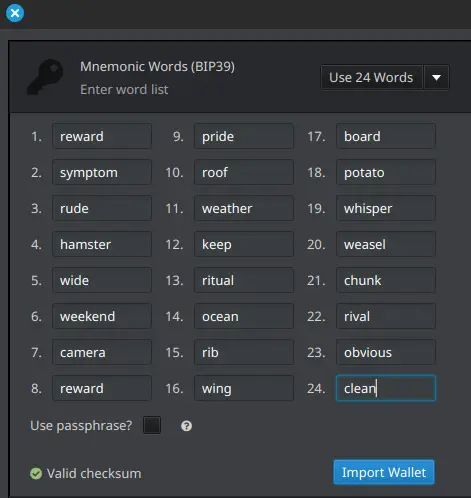
Install a software wallet such as Sparrow on your air-gapped computer and enter the 24 words in order.
- If the wallet accepts the seed, the checksum inside the phrase is consistent. That is necessary but not sufficient, so continue to the re-derivation check below before you move on.
- If the wallet rejects the seed, the checksum is wrong. Do not adjust words at random, and do not swap the last word for another one that happens to be accepted. Go back and re-check, in this order: the 256-bit string you hashed in Step 3 (exactly 256 characters, no typos), that you used the
-0flag, the two hex characters you converted, row 24's binary, and finally the word lookups.
Keep this wallet offline. It is being used to check the arithmetic, not to hold funds.
Acceptance alone does not prove the seed is yours
A wallet accepting your phrase proves the 24 words are consistent with each other. It does not prove they match the dice you rolled.
As Step 3 explained, 8 different last words all pass that check, and 7 of them open a different wallet. If you picked the wrong one, or mistyped a word into another one that keeps the checksum valid, Sparrow opens a valid wallet without a single warning. The only thing that catches this is comparing the result against your dice grid:
- Take the 256-bit string from your grid again.
- Run Option 2 from Step 3, or redo the lookups by hand on a clean sheet of paper.
- Compare all 24 words against what you entered into the wallet, in order, one at a time.
If every word matches, the seed really is the one your dice produced. If any word differs, trust the dice grid and find the mistake before you send any funds to it.
Check the same words on a second, independent wallet
The re-derivation above proves your words match your dice. It does not prove the wallet is doing the right thing with them. A tampered Sparrow build, the wrong derivation path, or a passphrase you did not mean to set will each accept all 24 words and then show you addresses belonging to a different wallet. You would fund those addresses and find out only when you tried to recover.
The check that catches this is entering the same 24 words into a second, independent wallet implementation and confirming both derive the same account.
Set both wallets up identically first, or they will disagree for reasons that are not a bug:
- Same derivation path. Use
m/84'/0'/0'(native segwit) on both unless you have a reason to pick another. Sparrow defaults to it; most signing devices ask. - Same script type. A wallet set to legacy or nested segwit shows completely different addresses from the same key.
- No passphrase on either. A BIP39 passphrase opens a different wallet entirely, and a stray space counts as one.
Then compare, in this order:
- The account xpub. Both wallets should show the same extended public key for the account. Compare the whole string, not the first few characters. This is the check that matters, because the xpub covers every address in the account rather than one of them.
- The first receive address, character for character.
- One address further down, say index 5 or 10, as a spot check that the two agree past index 0.
If the two disagree, do not fund anything. Re-check path, script type and passphrase before you suspect the seed, then re-check the words you typed into each wallet. A mismatch is far more often a settings difference than a bad seed. If the settings are identical and the addresses still differ, trust the dice grid over both wallets and find the error there.
A stateless device makes the better second wallet. SeedSigner has no persistent storage for a seed to sit in, so the words are exposed only while it is powered, and it is a reasonable second opinion here if you already own one (building and running it is not a beginner project, which is why it is a cross-check in this guide rather than a prerequisite). A second general-purpose computer has storage and may have been online at some point in its life; if you use one, wipe it afterwards and treat it as burned.
What this check proves, and what it does not. It proves two independent implementations agree on which wallet your words open, so one tampered wallet build cannot quietly point you at somebody else's addresses. It does not prove your entropy was good: that is what the dice in Step 1 are for, and two wallets fed the same words will always agree on the addresses whether those words came from dice or from a backdoored generator. It also does not prove either machine kept your seed to itself, and it costs you a second place the phrase has been. One extra exposure buys a real check; a third device buys nothing.
Comparing addresses across devices protects the setup, not the coins. Once funded, the defence against any single compromised device is multisig across different vendors, where no one device can move funds on its own.
For this same comparison run against your finished metal backup rather than your paper draft, see Backup Verification.
Step 6: Back Up on Metal
Your Bitcoin seed phrase is the key to your funds. If it is lost or compromised, your Bitcoin is gone forever. Paper and digital backups can degrade, get lost, or be destroyed. A metal seed plate is a durable, fireproof, waterproof backup that can last decades.
Why metal
- Fire and water resistance: Unlike paper, metal plates withstand extreme temperatures and flooding.
- Durability: Metal does not degrade over time the way paper and electronic storage do.
- Tamper resistance: A sealed metal backup makes unauthorized access visible.
- Longevity: A well-engraved or stamped metal seed plate can last a lifetime, keeping your Bitcoin recoverable for decades.
Finish in this order
- Stamp or engrave all 24 words onto the metal plate, numbered and in order.
- Read the metal plate back word by word against your paper and confirm every word and position matches.
- Only then, destroy every paper record of the process: the dice grid, the decimal calculations, and the word list. Burn them.
- Store the plate in a secure location: a safe, hidden vault, or safety deposit box.
Consider splitting your backup across multiple secure locations, and never store the seed digitally or photograph it.
Your Bitcoin is only as safe as your seed backup. Protect it wisely.